KWSP / EPF employer registration · Payroll setup · Employer complianceWhatsApp Enquiry

KWSP / EPF · Employer Compliance

KWSP Employer Online Registration (ROB/ROC)

For Malaysian business owners who need to register as an EPF employer after hiring employees. This guide summarises the official KWSP visual guide into practical steps.

Important noteThe KWSP portal interface may change. Use this guide as a practical reference and always follow the latest instructions shown on kwsp.gov.my.

Quick overview

What this guide helps you complete

After a company starts hiring employees, employer registration with KWSP/EPF is one of the practical compliance steps to handle together with payroll setup.

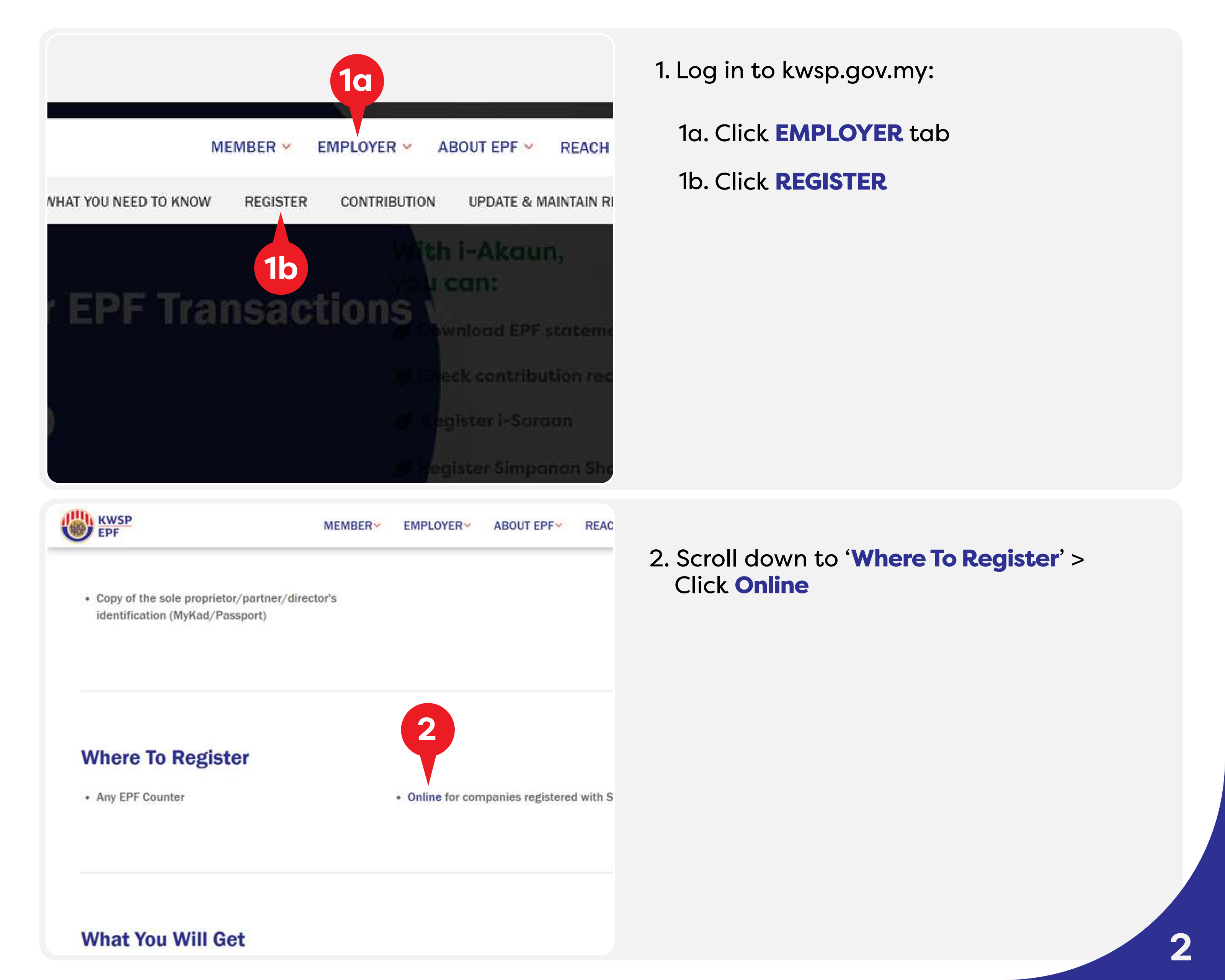
Portalkwsp.gov.myUse the Employer registration path on the official KWSP website.
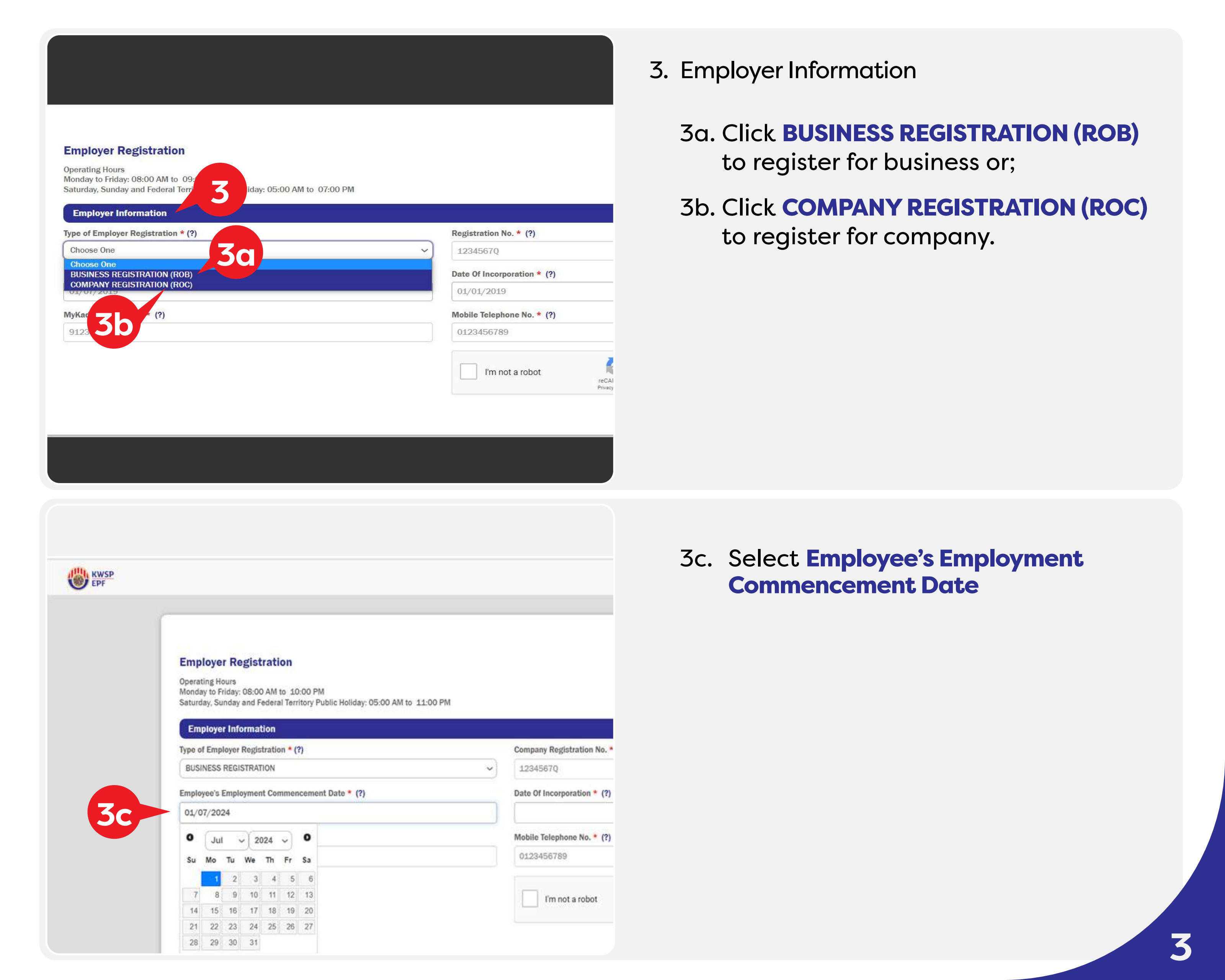
Entity typeROB / ROCChoose business registration for ROB or company registration for ROC.

Source: KWSP / EPF official Easy Guide_Employer Online Registration (ROB/ROC).

Visual guide

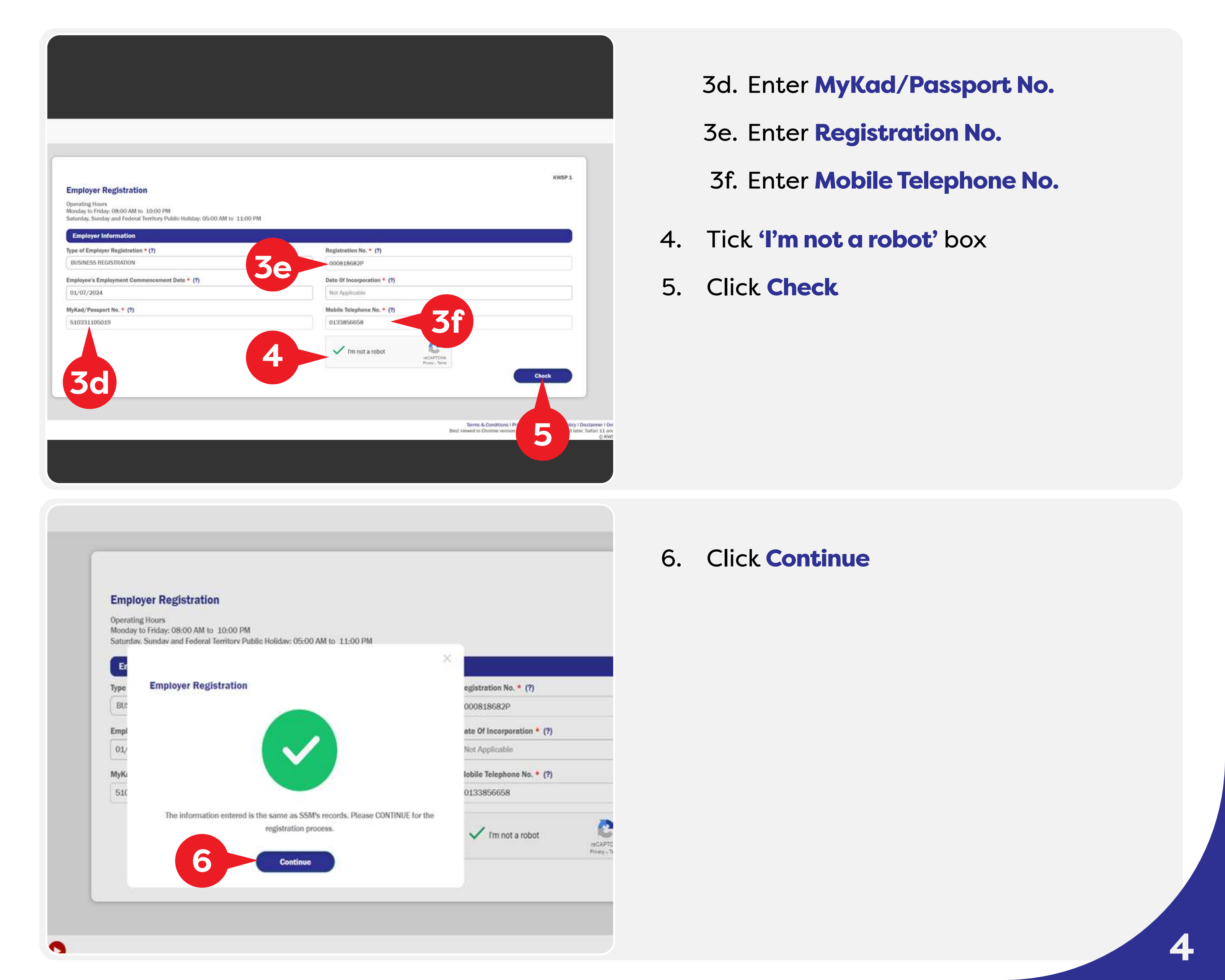
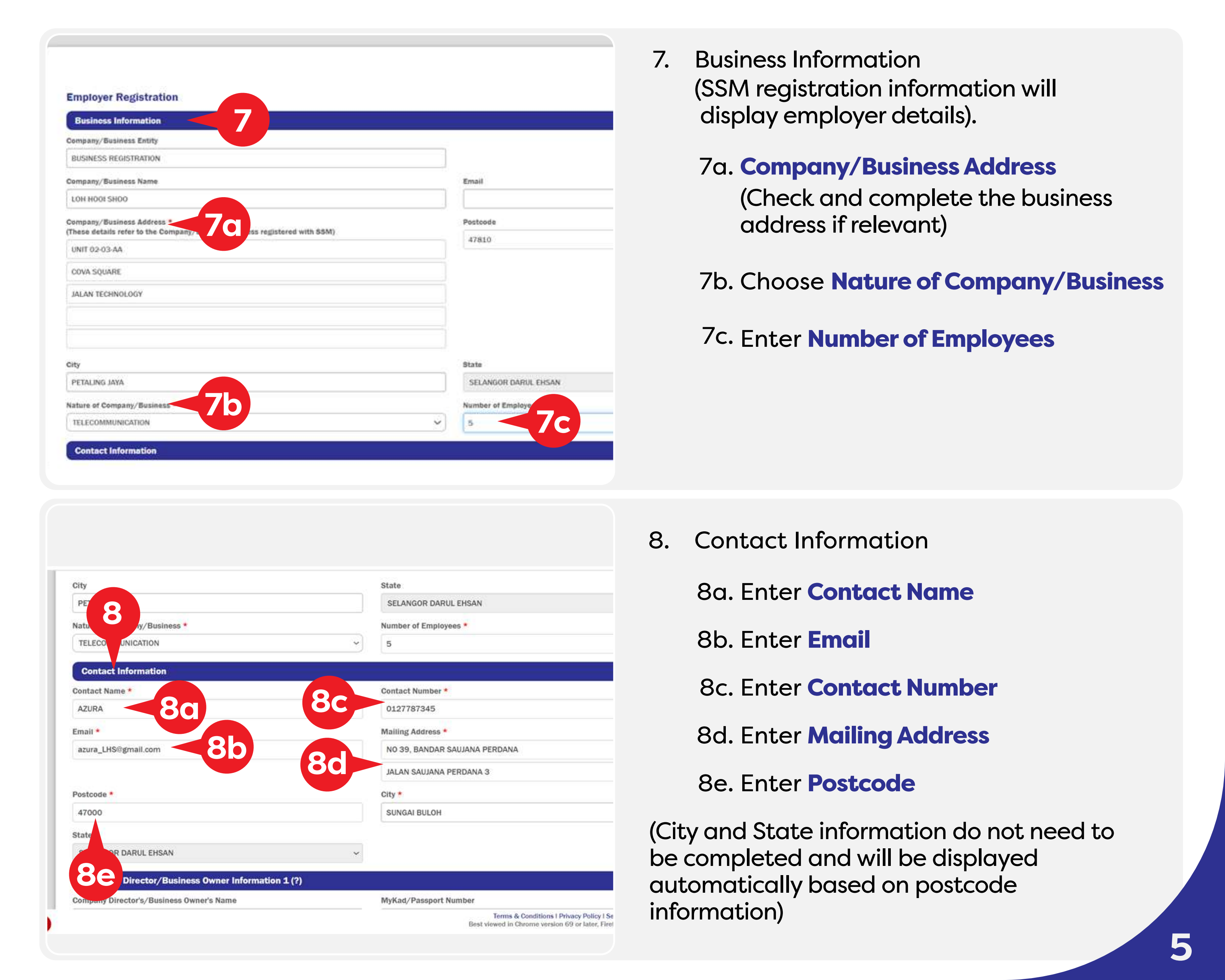
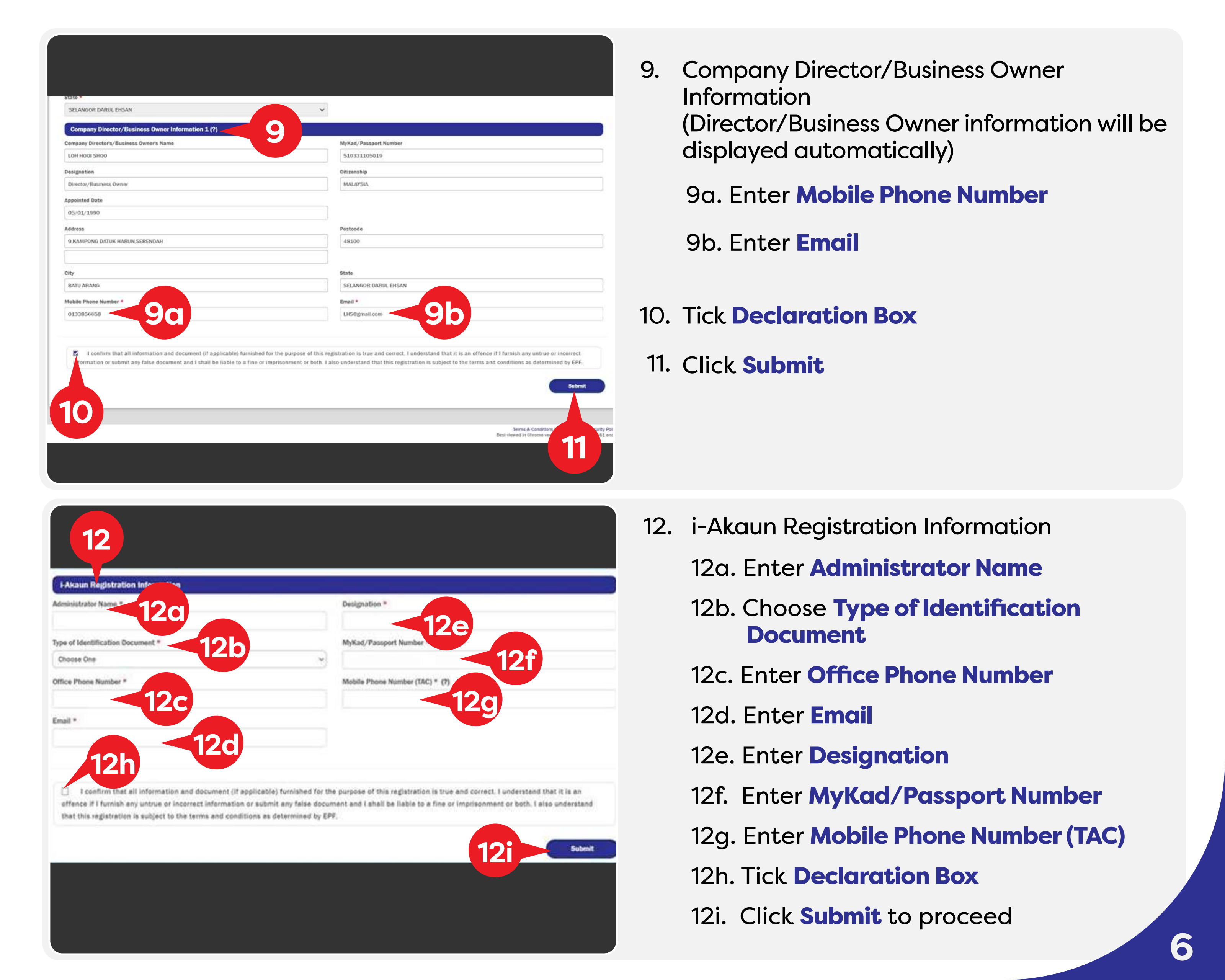
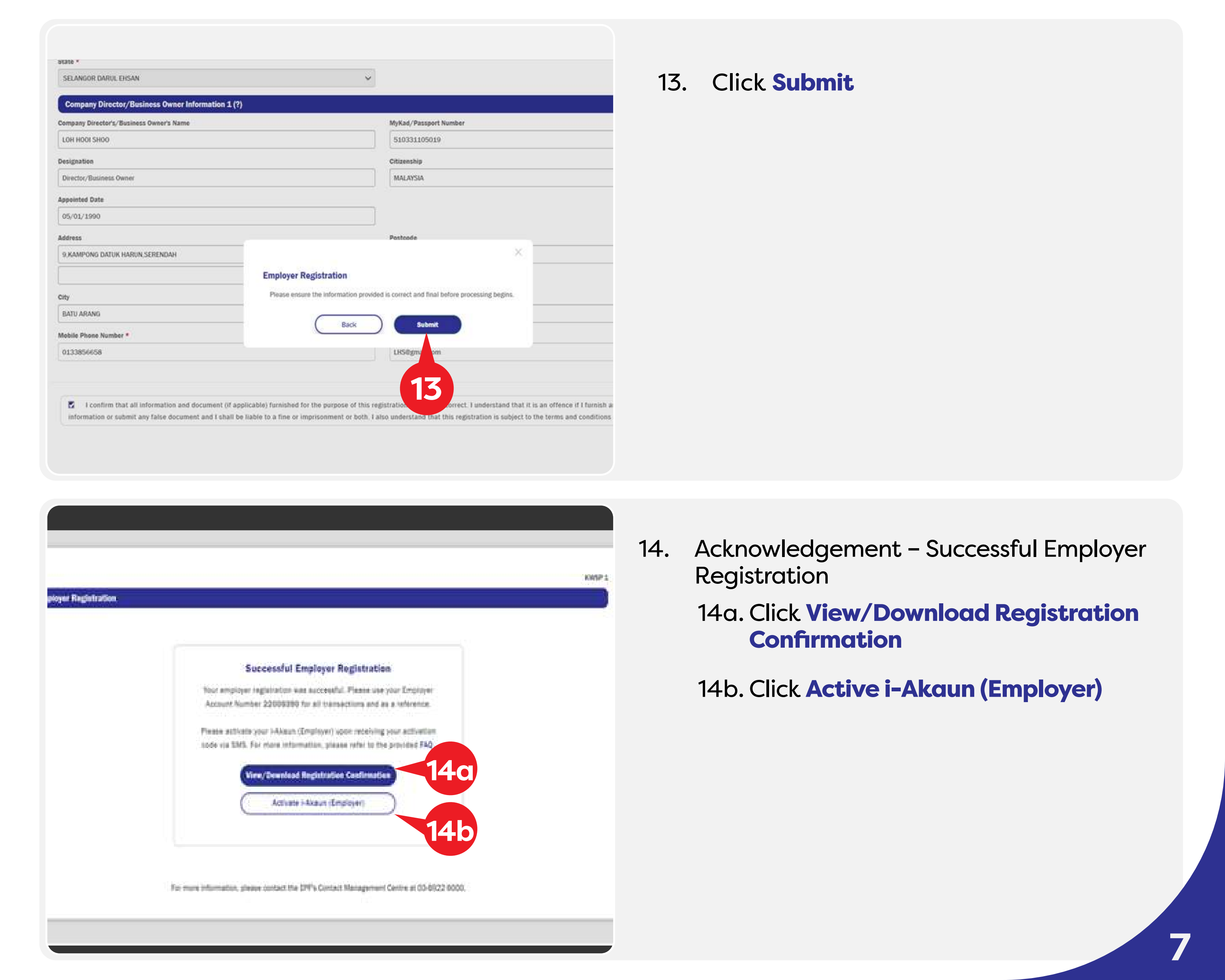
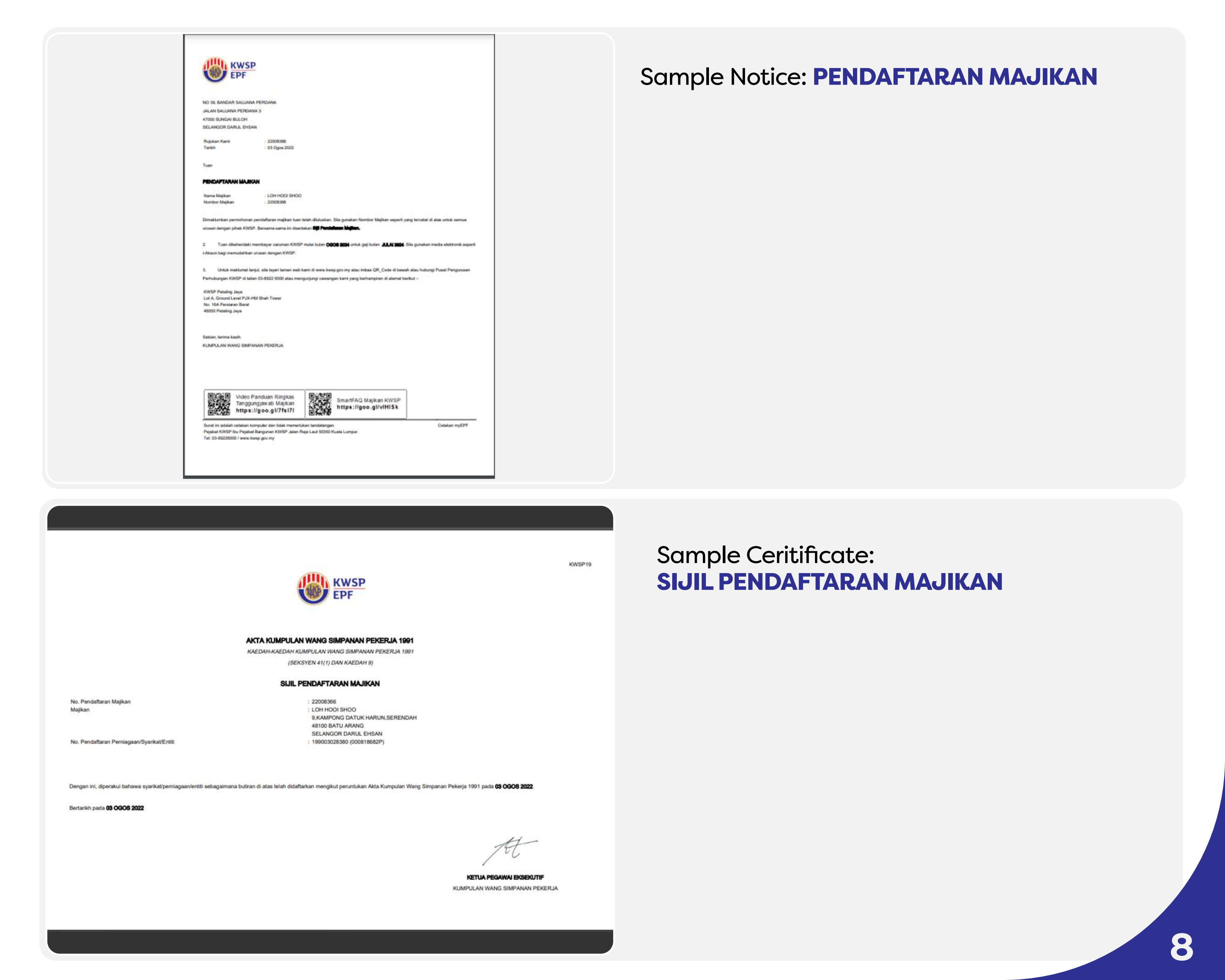
Employer Online Registration (ROB/ROC) visual steps

Use the Back and Next buttons to move through the official KWSP guide screenshots with practical notes on the right.

02

Before you start

Company or business registration number

Use ROC for companies and ROB for business registrations as shown in the KWSP guide.

Director / owner identification

Prepare MyKad or passport details for the person completing the registration.

Contact and administrator details

The i-Akaun administrator details and TAC mobile number are important for future employer account access.

Business and payroll information

Prepare business address, nature of business, number of employees and employee commencement date.

Need help with employer compliance?

VSG can help you coordinate company secretarial, payroll setup and post-incorporation compliance matters.

WhatsApp Enquiry